 VoiceDocket
Turn English recordings into timestamped PDF transcripts.
Transcribe English recordings on your Mac. Speakers are grouped automatically (macOS 15+) for you to review and correct.
Preview everything for free. Pay once when you need to export: $29.99, one-time. Preview pages carry a light watermark and stay readable.
Buy a license key for $29.99 · Find my key · What it does not do
macOS 14 or later · Apple silicon · English only. About 511 MB of speech models download before first use.
Transcribe on your Mac
Your recordings and transcripts stay on your Mac. VoiceDocket does not upload them. Speech recognition and speaker grouping run locally. Download about 511 MB of models before first use; after that, transcription can run offline. The app also connects to check for and download updates. Buying or recovering a license opens this website.
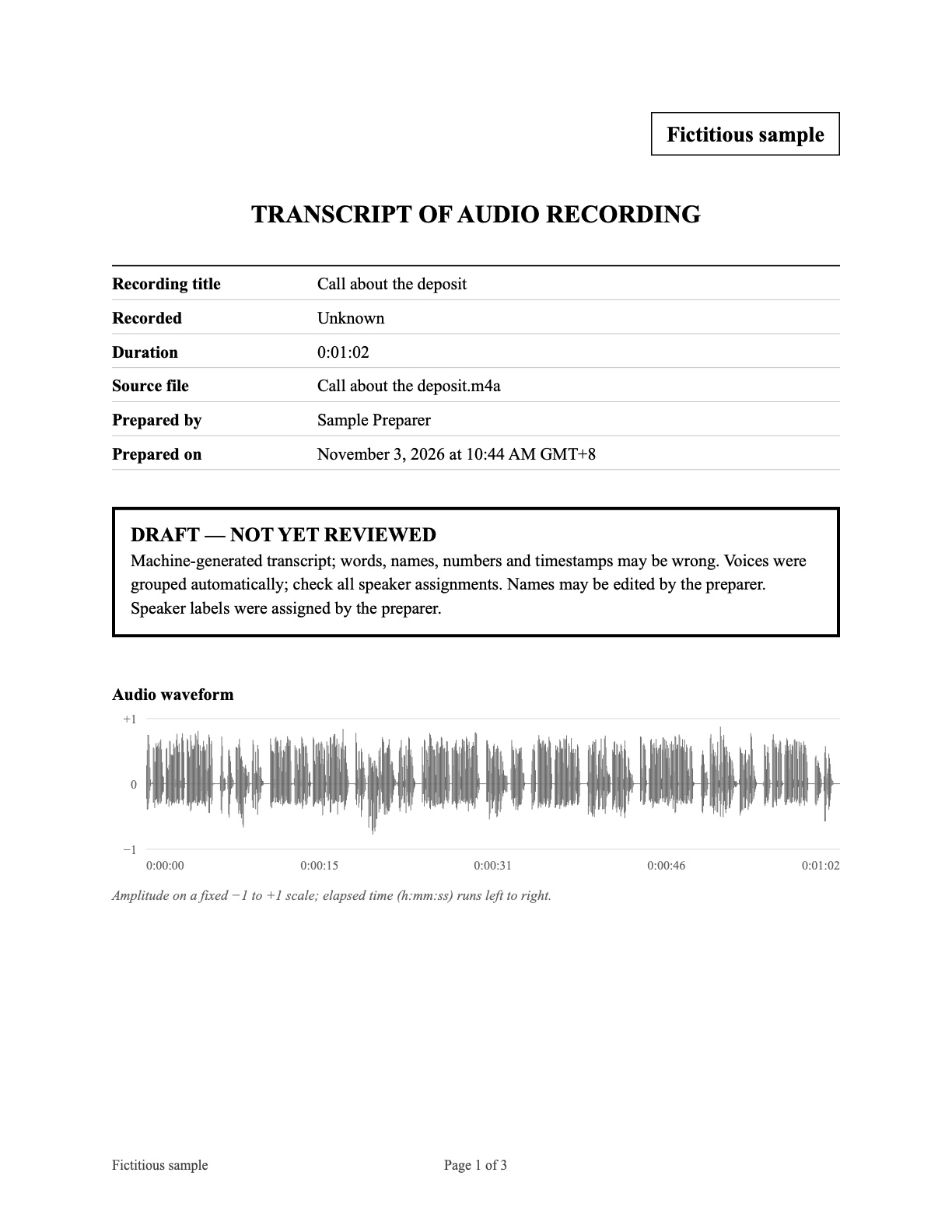
Timestamps, page numbers and source
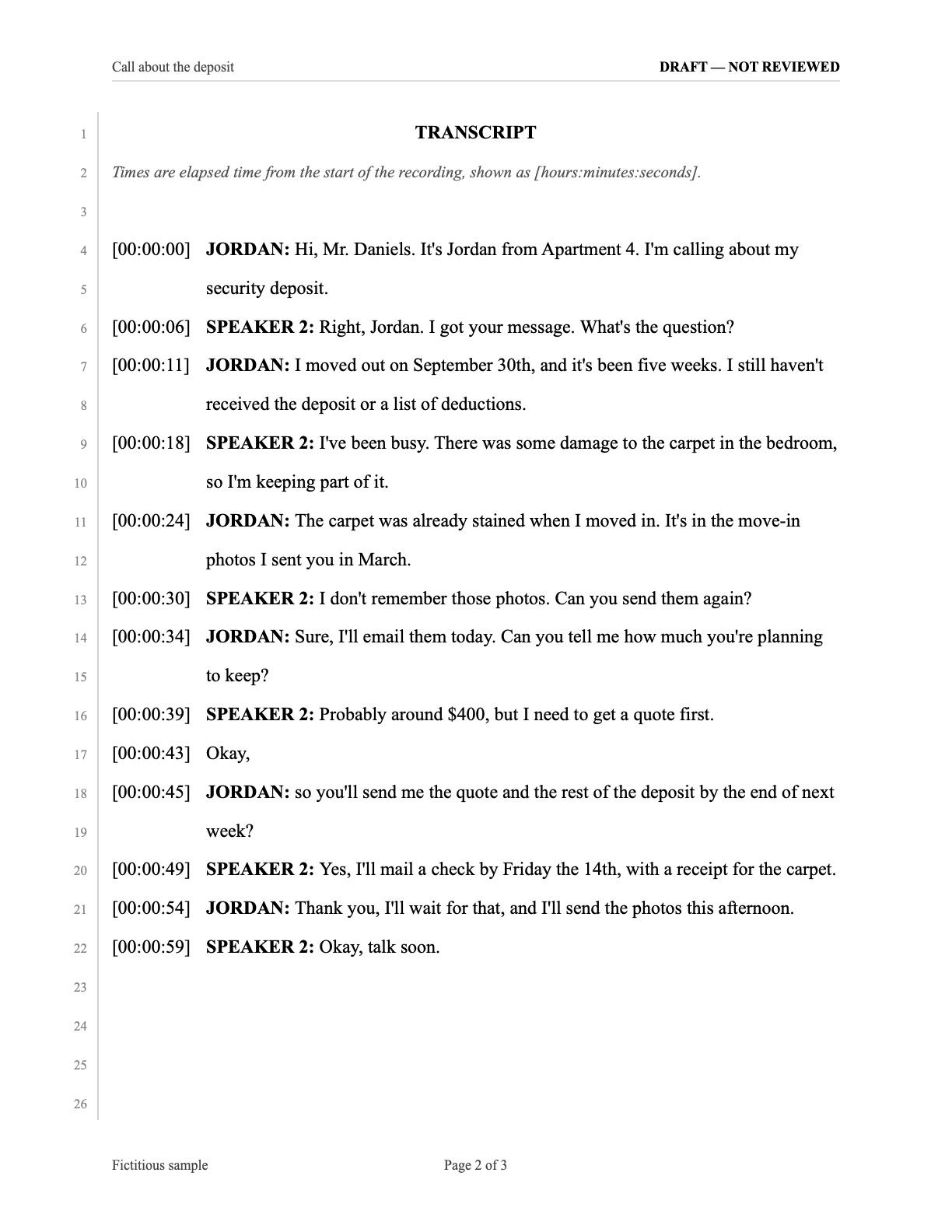
Every line carries its time in the recording. The PDF is paginated and ends with a recording information page: source file name, duration, the audio’s SHA-256 hash, the model used and the date it was prepared. The hash shows which file the transcript came from, not that the recording is genuine. Add a case name, exhibit label and preparer name to organize the transcript for review.
Speaker groups you can correct
Voices are grouped automatically on macOS 15, and you can rename them, reassign any line, or regroup with a minimum number of speakers. Speaker labels are automatic and must be reviewed.
Background audio stays visible
Mark a TV or radio as background audio. This changes their label and appearance in the PDF and keeps their transcript text.
Every line has a reference
A reader can cite an exact page and line, then find that moment in the recording. Check your court’s or lawyer’s own requirements before filing; VoiceDocket does not certify transcripts.
Line numbers
Numbered lines on every transcript page.
Elapsed time codes
[hours:minutes:seconds] from the start of the recording.
Page numbers
“Page 2 of 4” on each page.
Case and exhibit labels
Your case name, exhibit label and preparer name, printed as you enter them.
Review status
Marked as a draft until you confirm you checked it against the audio.
Recording information
Source file, duration, SHA-256 of the audio file, language and transcription method.
Listen, correct, export
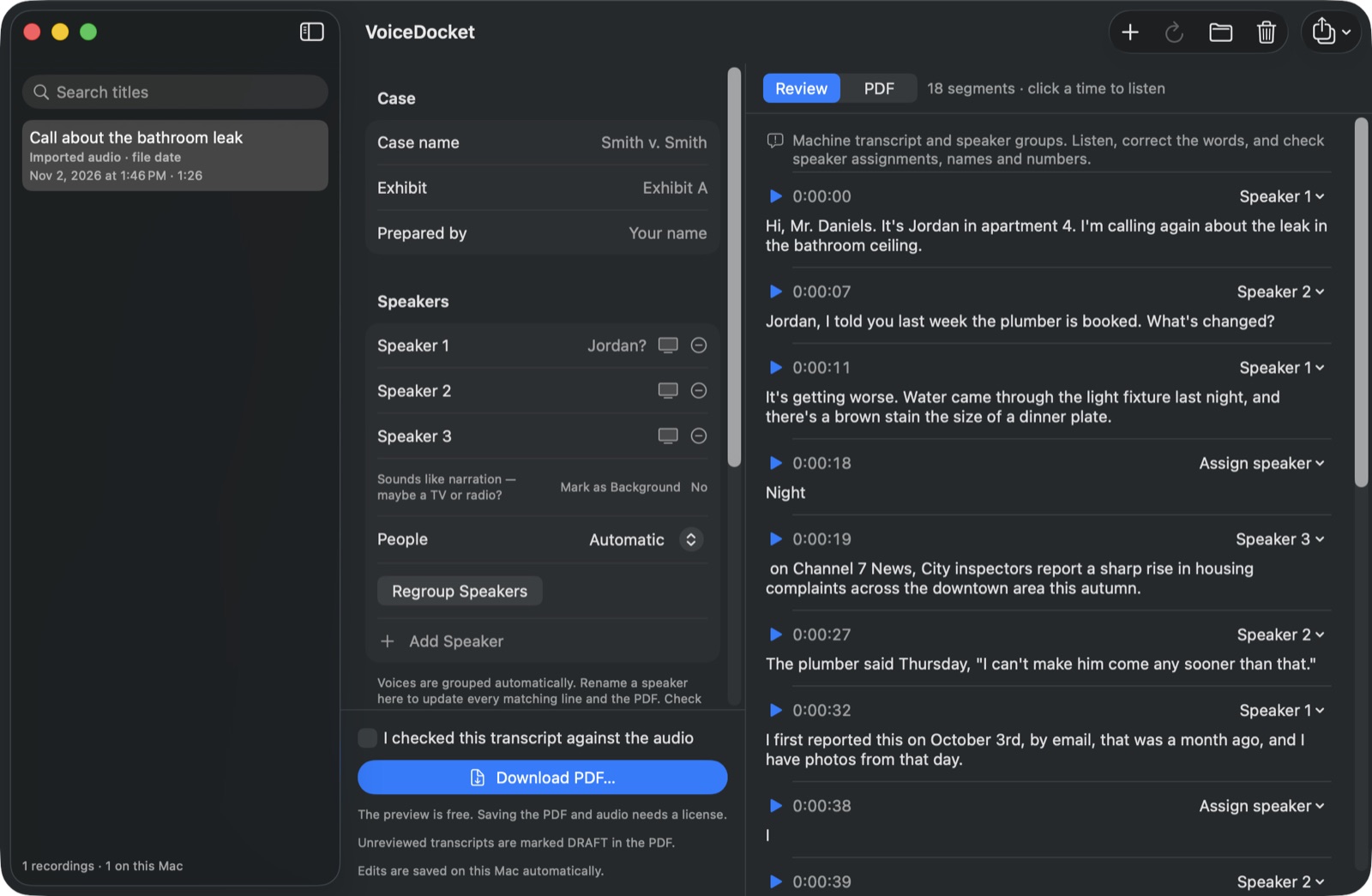
Click a time to hear that line, correct the words and speaker labels, then check the PDF. Lines stay tied to their place in the recording, so a reader can go back and compare.
Download a sample PDF
Fictitious sample generated with a development build. Export requires purchase. The sample is marked as a draft and has not been reviewed against the audio.
- Sample PDFTranscript and recording information, 3 pages
What it does not do
- English only. Other languages are not supported yet.
- Apple silicon only. macOS 14 or later; the app will not run on an Intel Mac.
- Automatic speaker grouping needs macOS 15. On macOS 14 transcription works, but you label the speakers yourself.
- Accuracy depends on the recording. Quiet one-on-one conversations work best. Background noise, crosstalk and recordings made from across a room get noticeably worse, so keep the phone near the people talking.
- Speaker labels are automatic and must be reviewed. Grouping can put different people's voices in one group.
- TV or radio speech may be transcribed, and may be grouped separately or mixed with room conversation. A narration hint is a suggestion, not a reliable determination of the source. Review the lines before marking them as background audio.
- It is a transcription tool, not a legal service. Check the transcript against the recording before relying on it.
FAQ
How accurate is it?
It depends on the recording. Quiet one-on-one conversations work best. Background noise, crosstalk and recordings made from across a room are noticeably worse. Always check the transcript against the audio.
Are my recordings uploaded?
Your recordings and transcripts stay on your Mac. VoiceDocket does not upload them. Internet access is used to download models and check for and download app updates. Buying or recovering a license opens our website in your browser.
What file types can I import?
m4a, wav, mp3, aiff/aif and caf. You can also point it at your Voice Memos folder.
Does it work with Chinese or other languages?
Not yet. English only.
Do I need an account?
No VoiceDocket account is required. Purchase and license recovery use your email address.
How big is the model download?
About 511 MB of models on first use (489 MB for transcription and 22 MB for speaker grouping). You may need to download them again if you remove them, move to another Mac or the models are updated.
Can I edit the speaker names?
Yes. Speakers start as Speaker 1, Speaker 2 and so on, because VoiceDocket groups voices without knowing who anyone is. You give them names.
What happens to a TV or radio in the background?
Its voices may be transcribed, and may be grouped separately or mixed with the room conversation. The app can suggest that a group sounds like narration, but that is not a reliable determination; you decide. Marking a group as background audio changes its label and appearance and keeps its transcript text.
Does it work on Intel Macs?
No. Apple silicon only, macOS 14 or later.
What can I export?
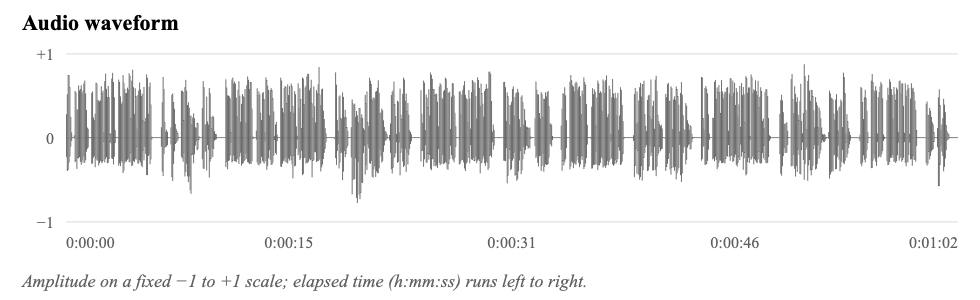
A PDF every time. You can also save the original audio file unchanged, a plain text transcript, SRT subtitles, a JSON file with segment times, speakers and numeric waveform values, and the waveform as SVG and PNG images.
Is there a free trial?
There is no time limit. You can transcribe and preview for as long as you like; only exporting needs a license key.
How much does it cost?
VoiceDocket is free to download, with no time limit. You can transcribe, correct and preview the full PDF with an UNLICENSED PREVIEW mark. Every export needs a license key, a one-time $29.99 purchase. There is no subscription.
Is this the same as TextDocket?
No. TextDocket exports iMessage conversations to PDF. VoiceDocket transcribes audio recordings.